"The only way to be truly satisfied, is to do what you believe is great work. And the only way to do great work is to love what you do." Steve Jobs
Once "inking" gets into your veins you will never be able to live without it. Frank J. Garcia

Showing posts with label T-Mobile G1. Show all posts

Tuesday, April 28, 2009

Samsung I7500 uses Android

Manufactures are always cautious when new OS are released and that explains why we did not see right after the Android OS release a bunch of other devices in the market. But that does not mean the Android is a failure. Anyone following the Android Community and the developing of Android OS knows the huge activity around Android. The Cupcake version was released for developers this week. This version includes natively Video recording, something that iPhone still dreaming with. This shows the power of an Open Source OS in the hands of the right people. Today we have pictures and videos of a new Samsung Phone that will be released soon using Android.   

The Smartphone also looks decidedly thin, and the design of the hardware buttons at the base is very slick.  If you’ve been waiting for the first “mainstream” Android device - thinking HTC’s offerings to-date have been a little too “business” in their design - then the Samsung I7500 could be the device for you.
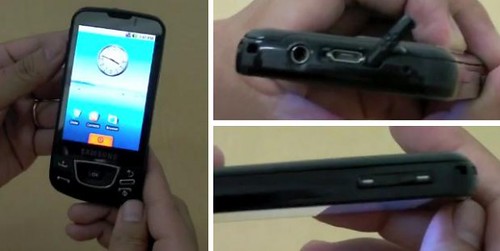
samsung_i7500_video_demo-600x301

The fact that a company without any experience in the Phone industry and using a network which is a lot smaller than AT&T has sold more than 1 million Android phones seems to me is a very good sign of how healthy this new OS is. Will it win the race against the iPhone? It’s early to say but one thing is for sure, it’s even now when it still young a very good adversary for the iPhone and it has done what Microsoft have not done with a single phone in many years.

Samsung I7500 caught on video | Android Community

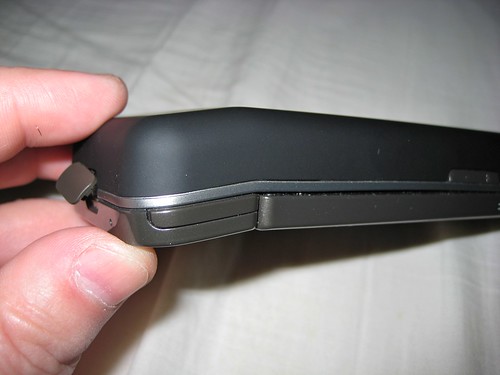
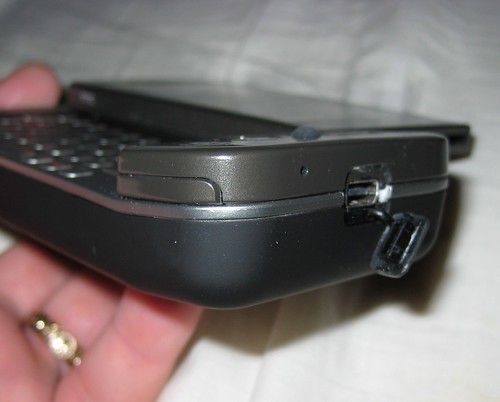
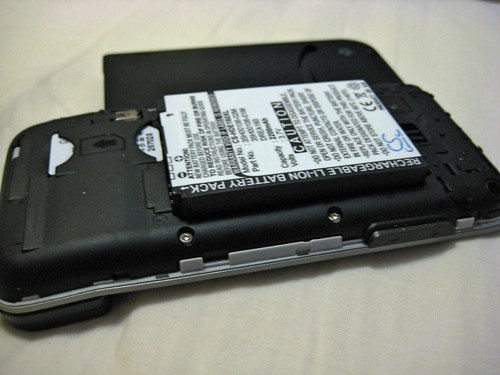
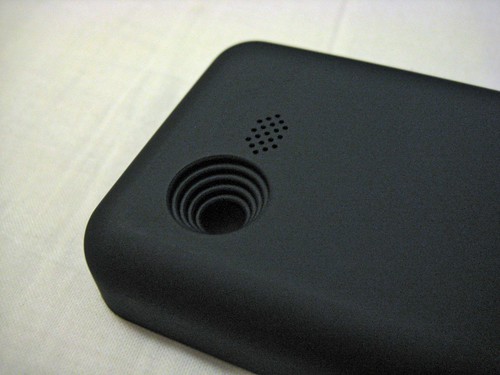
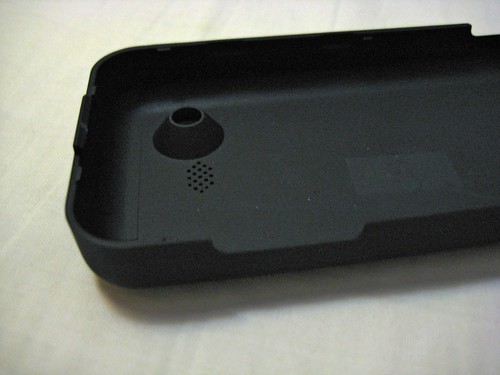
Extended 2200mAh Battery for G1

I just received an Extended 2200 mAh Battery for my T-Mobile G1. I have not ran any special tests but the original battery was a 1150 mAh one so do the math, 1.91 more battery life. And this is one of the good things that I love from my G1,  I can change the battery freely no like another very popular phone that you all know.

Here are a few pictures of this battery.

IMG_0404

IMG_0402

IMG_0399

IMG_0396

IMG_0397

Monday, April 27, 2009

Android Cupcake in May?

Apparently T-Mobile could be releasing the so called Android Cupcake version in May: 

According to T-Mobile Germany, the software update is headed to G1 owners next month.  As of right now, it’s only for the German folks.  The US is still playing the waiting game.

I’m very excited with this news because the Cupcake puts Android definitely on top of the iPhone in features (it includes video recording something that the iPhone does not do unless you install 3rd party programs).

Via: AndroidGuys

Friday, April 24, 2009

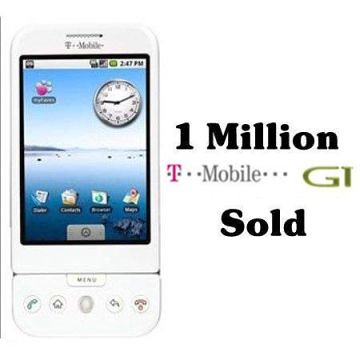
One Million G1’s Sold!

1-million-iphones 

T-Mobile has sold 1,000,000 of G1 in Just 6 months! This number says a lot also about the acceptance of the Android OS taking in consideration that the G1 design is far from being an attractive one. Being the Android an Open Source OS is something that is giving very good results. The so called Cupcake version of Android already includes options that iPhone users are just dreaming to have such as Video Recording Capability right out of the box.

While obviously the million number sold is comparably small to iPhone sales, for T-mobile, its an impressive number regardless. According to the guys over at Telephony, the really interesting number is that T-mobile has roughly 1.5 million devices currently operating on its 3G network, which gives the G1 a 67% market share.

Via  T-Mobile News

Monday, January 26, 2009

Multi-Touch on the T-Mobile G1

Why HTC and Google never enabled the multi-touch capability in their T-Mobile G1 is something that I can’t understand.

I have read many comments at Mobilitysite in the past when I posted about this topic, many of them saying that so far there was not any proof that effectively showed that a G1 had that capability. Today I’m bringing a movie where you can see a G1 using that capability fully in all applications.

The Open Source community is taking the Android and the G1 to levels that are far from what T-Mobile is giving to their customers and I've thinking lately about breaking with this company and go fully in my G1 with these Android versions which have nothing to envy to the OS in the iPhone.

Via JKonTheRun.

Monday, November 24, 2008

Again… the G1 does support Multi-Touch

There have been a lot of controversies going around this topic, but here is a video that without any doubt proves that at least a batch of T-Mobile G1 are made with a display that really supports Multi-Touch.

Tuesday, November 18, 2008

G1 screen can handle multi-touch

Being Android a SO based on Linux it was not a big surprise to see a lot of developers going deep to find all kind of secrets hidden in the source code. According to this post, the T-Mobile G1, or at least part of them, can handle multi-touch. 

The G1 screen can definitely track 2 fingers. Why Android does not make use of this is an exercise for the reader to answer.

But, if you read the whole article you will find at the end that HTC has specified since the beginning the HTC Dream AKA T-Mobile G1 is not a multi-touch device and they could be producing at this moment a batch using screens that do not support this functionality. We even wont be able to know if the one we own is capable or not because from what I understand to run a real test you have to replace the current touch driver installed in the device and as far as I know that’s not something that many of us, level 0 in linux users, can do easily. 

Wednesday, November 05, 2008

does the G1 support multitouch?

Apparently it does support multitouch, it just does not have the proper software to make use of it. Check this video:


And here is another video that provees the same thing:

How to get root access on the G1

Members for XDA-Developers have found how to get access to Root on the G1. In another words they have got full control of the phone. This means that we are going to see many other applications enabling features that currently have been disabled or are not present in the G1 like the BT profiles needed to connect the phone as a modem, etc.

Tuesday, November 04, 2008

Tethering the G1

Ok, there is an intent of tethering the G1 going on here. I tried and it did not work on my recent updated RC29 firmware. The installation of the Proxy application failed using the Adm too or downloading it from the site.

But it’s a good news and we have to keep our eyes opened because sooner or later we will have a solution for those who wants to use the G1 as a modem to connect their UMPC or… any PC.

T-Mobile G1 firmware updated

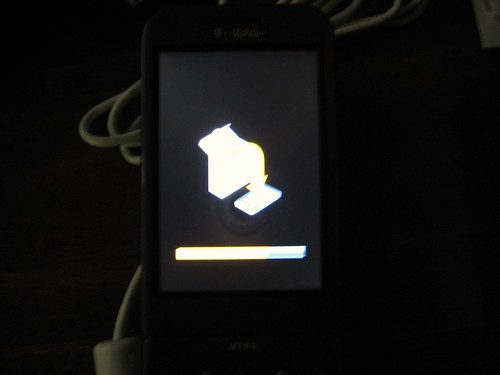
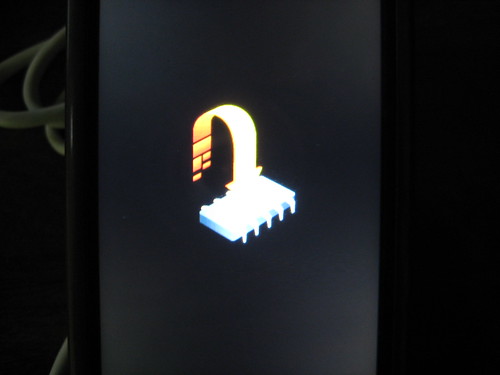
My G1 automatically downloaded today a firmware update version TC4-RC29 115247.

IMG_0327

IMG_0330

When I unlocked the phone to make a call I got a message on the screen telling me about the update and asking me if I wanted to have it installed. I clicked on No because I was busy on that moment. Later when I was ready I unlocked the phone again and there was the same question, this time I clicked on Update and the above pictures show what happened after.

Here's the list of what is fixed on this update taken from T-Mobile Website:

  • Wrong field is focused when keyboard is opened in Messaging application: Now when the keyboard is opened, the focus will default to the compose (text entry) field.
  • Cannot associate with Wi-Fi access point using shared WEP key: Should now be able to associate to access points with a shared WEP key.
  • Google Contacts/Calendar Sync (endless loop).
  • USB storage: Now a USB notification will appear in the notifications area when connected via USB. Users must select to use USB Storage if desired. 
  • Email notification doesn't disappear when the Email has been read (POP/IMAP Email client).
  • New Email notifications not received (POP/IMAP Email client).
  • Browser does not launch YouTube video when Settings > Enable JavaScript is unchecked.
  • Wi-Fi & Bluetooth occasionally disconnect while charging.
  • Support silencing of Email notifications (POP/IMAP Email client)
  • Amazon MP3 fix for files with underscores (_) in the filenames

So far I only have noticed one change. Now, every time I connect the phone to my PC via USB an icon appears in the top bar allowing me to click on it to enable the USB File Transfer (HDD Mode).

IMG_0331

A really useful feature I would say because before I had to click on settings and then go to SD card and phone storage to enable the HDD mode.

Sunday, November 02, 2008

Long lines in Florida

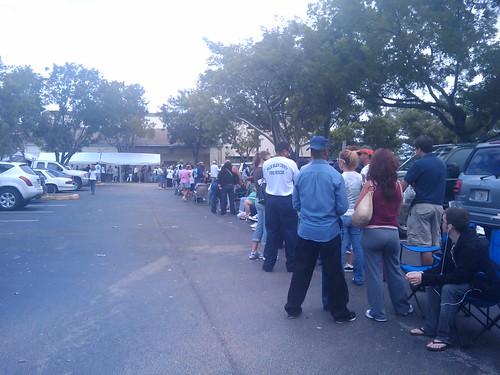
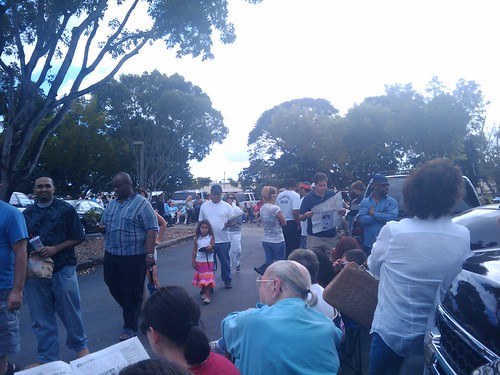
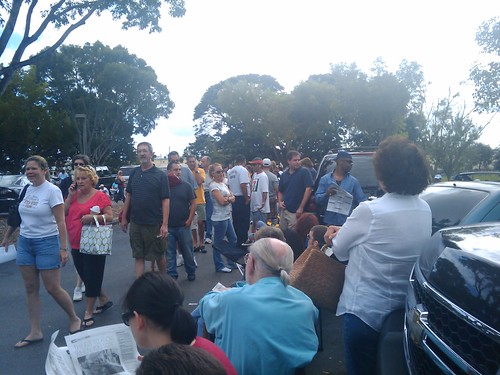
I voted today and let me tell you guys, I stood in line for 4.5 hours. Thanks God I brought with me my Kindle and my T-Mobile G1.

1225639590492

1225636480765

1225636494721

The above 3 pictures showing the line were taking using the G1 and sent to my Flickr account using a program for Android called PixelPipe.

Friday, October 31, 2008

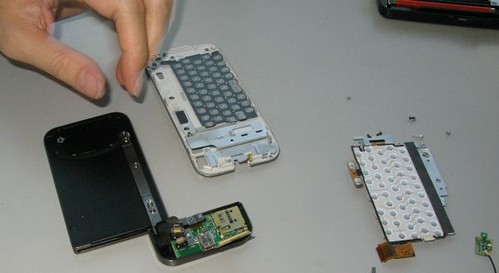
T-Mobile G1 gets naked

Yes, if you want to see the other pictures, just click in this link.

and3

My opinion: No comments at this time.

Tuesday, October 28, 2008

Walmart will sell the T-Mobile G1

According to news published a few minutes ago at Engadget, Walmart will start selling the T-Mobile G1, the first Android phone, tomorrow and that’s not all, the price will be $148.88, that’s 31 dollars cheaper than what is selling it for!

F….! I should have waited 3 days! Disappointed

My Android Fav Applications

Do you remember what I said a few days ago about needing to get use to the Android G1, well, I have been playing for around 3 days already with this phone and part of the problems that I had at the beginning have disappeared thanks -like I predicted- to applications developed for this new platform.

One of my first problems was that I was used to just to hold a key in my old phone to dial a number. In a T-Mobile G1, without installing anything to do this was virtually impossible.  But… installing an application from the Android Market Place called AnyCut you can create shortcuts to virtually anything, including a phone number. In this way all you have to do to dial a number is unlock the screen and click in the shortcut for that number.

Another of my favorite applications is ShopSavy. I went this weekend to an Outlet store where supposedly price are lower than in other stores. Found a portable speakers for iPod and decided to test ShopSavy. Scanned the barcode using the camera phone and guess what? The price in the store was $12.99 and ShopSavy found a few pages online selling it for $6.99! I tested it also on a PSP game and the program found the best price online and also using the GPS integrated in the phone it looked for best prices in local stores around my current location! So definitely ShopSavy is my new best friend.

Living in South Florida weather is something really important for me and more now that we still are in hurricane season. iMap has all I need, current weather conditions, detailed and extended weather forecasts and radar views . The radar animation feature is just amazing. It takes a few minutes to get it working when I’m on 3G but when I’m connected via WiFi it takes just a few seconds.

In a note apart, I got 3G connectivity at work, that’s 10 miles away from my house. At home I have 3G if I’m not inside of the house. When I went “hunting for 3G” like I said in my previous post, I was actually shopping around and every time I checked the 3G connectivity I was inside of a store and I was not getting any 3G signal. So it seems to me that in an area of 2 miles (probably less) around my house there is 3G connectivity but not strong enough when you are inside of a building. Using a program called iNetwork Test (Web Test in here) I tested the download speed and it was around 874 kbps, which is not bad according to what others with this phone are getting.

Sunday, October 26, 2008

T-Mobile 3G Coverage

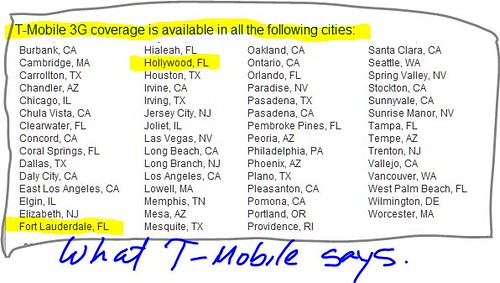
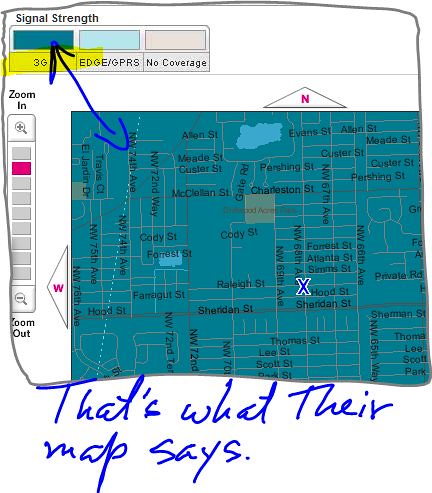
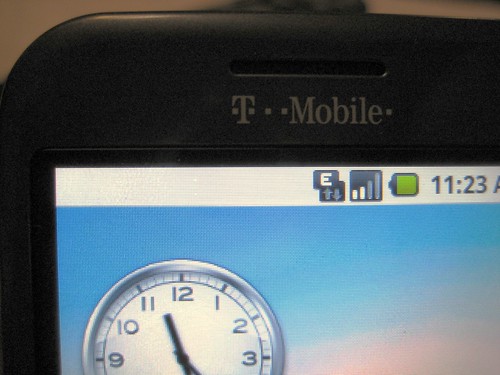
Something that you should be aware when your buy your T-Mobile G1 is that even when they said that they have 3G in your area what they really mean is that you are probably have it soon. To prove it I have prepared 3 pictures.

Capture

Capture2

IMG_0308


And the above picture is what you get.

Pictures say more than 1000 words. I have to add that I drove Yesterday around 2 miles in all directions from my house in a 3G hunting expedition and no 3G in anywhere.