"The only way to be truly satisfied, is to do what you believe is great work. And the only way to do great work is to love what you do." Steve Jobs
Once "inking" gets into your veins you will never be able to live without it. Frank J. Garcia

Showing posts with label Wibrain B1. Show all posts

Tuesday, May 20, 2008

Wibrain B1H with Ubuntu

Wibrain has released a version of it's B1 with Ubuntu installed. This version is already being sold at todoUMPC.com and they have released a video of the first boot of one of these units. The video is in Spanish but even if you do not understand this language you will find it interesting. It's the first Ubuntu fully running in a UMPC that I know about it! Everything is working!

Tuesday, May 06, 2008

Wibrain, TV and... your car

Many people can't live without a TV. But imagine a guy who wants to have an iPod, a GPS and a TV all connected at the same time (at least available to be used) in his car. What he is going to do? Well, according to our friend Steve from UMPCPortal.com, the answer is to get a Wibrain. 

I love the way that UMPCs integrate into cars so easily. With the docking station and it’s included GPS device, some navigation software and a good skin for your favorite media player, you have a very flexible system indeed. Although I love my Nokia N82 in the car for simple navigation and audio, having 60GB of videos, live TV, a full browser, the webcam and the great WiBrain screen makes you feel ready for any eventuality. Even work! One of these day’s I’m going to hire a minivan, load it up with UMPCs and do a city-city tour to see which UMPC is the ultimate in-car companion. I have a feeling that the WiBrain, with its excellent docking station, is going to be the one to beat!

Monday, February 18, 2008

Wibrain B1 EVENT!!

If you are a proud Wibrain B1 owner here is a way to win some accessories for your B1.  All you have to do is to send a review of your device to sales@wibrain.com. On March 22nd the best reviews will be selected and here are the rewards:

  •    Full Package Accessories Set - 10 people  (Docking Cradle + Car Cradle + Battery + Leather Pouch + Power Adaptor)
  •    Docking Cradle - 20 people
  •    Battery & Leather Case - 30 people

Monday, February 04, 2008

How good is the Wibrain playing Videos

This weekend I prepared a short video for those asking me how good is the Wibrain playing videos. For those that do not understand the Quixote's Language basically I played 3 videos, the first one is an Divx at around 800 kbps, the second one is another Divx at more than 4000 kpbs (HD) and the 3rd one is a DVD copied into the Wibrain Hard Drive. In my video you can see that the Wibrain played acceptable in these tasks.


Video: Probando Pelis en un Wibrain

Tuesday, January 29, 2008

Accessories for Wibrain B1

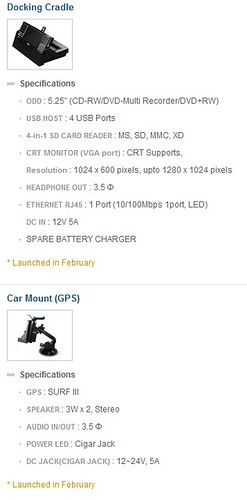
Wibrain will be launching in February two new accessories for its B1 series: A Docking Station and a Car Mount with Integrated GPS


Wibrain

Monday, January 28, 2008

Wibrain B1 Review

P1200004

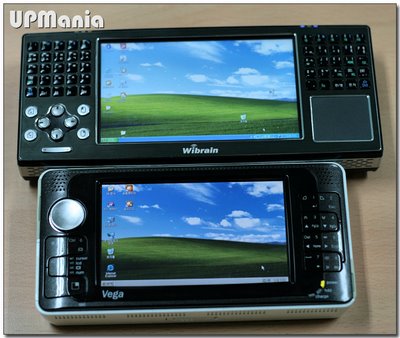
The Wibrain B1 (Affiliated Link) is the 5th small UMPC that I have been lucky enough to test, I have tested the Vega from Raon, the Everun from the same company, the OQO 02 and the Fujitsu U1010. And even after I have seen all these devices I still surprised to see how a full side PC is shrunk into that small space.

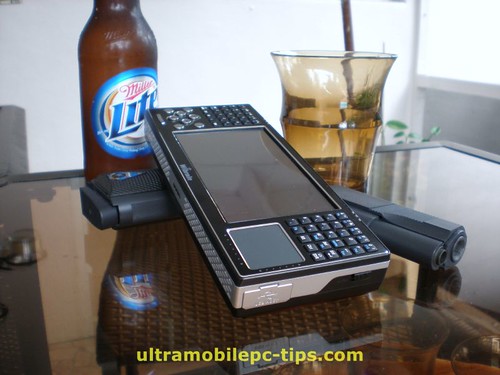
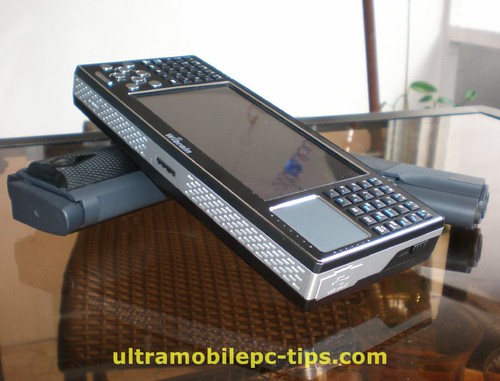
The Wibrain B1 has a retro design that could give a not so good impression when it's seen in pictures but once you have the unit in your hands and you use it for a while that changes for a better overall opinion. 

What differentiates the Wibrain B1 from all these other devices?

  1. The split keyboard, something only seen so far within the UMPCs in the Samsung Q1U device.
    P1200022 P1200025
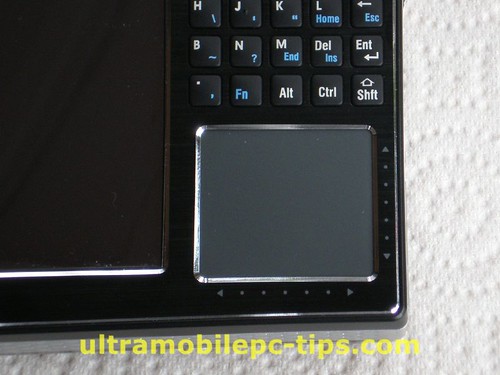
  2. A mouse pad. Only the Everun has something close but smaller and it's not exactly a touch pad.
    P1200023
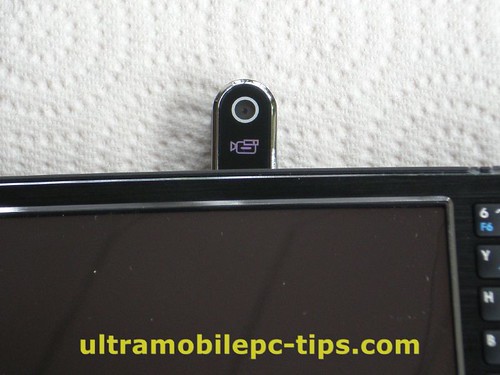
  3. Web Cam, something only present in the Fujitsu U810.
    P1200026

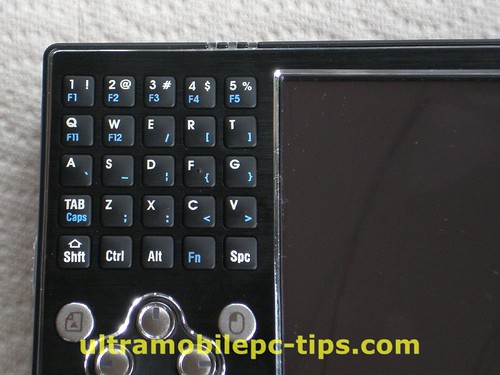
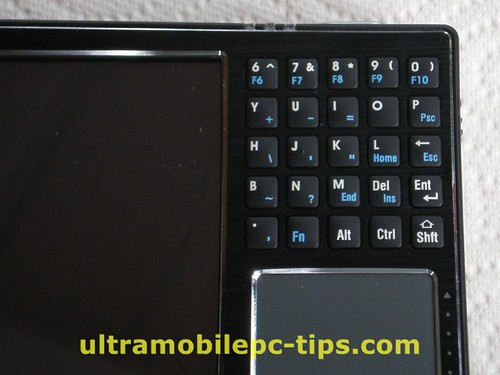
The split keyboard is in my opinion well designed. The letters F and J are marked to help the finding by touch the other letters like a real QWERTY keyboard. The addition of 8 more keys for Page UP, Page Down, Arrows keys and Left and Right Mouse keys is something that helps a lot the usability of this device. On top of that you have a vertical and horizontal scroll strips in the bottom side and right side of the Mouse pad. Another interesting features.
P1210003During my tests I gave the B1 to one of my coworkers and after opening a game on it and holding the device like a PSP he asked me: is this the future for PSPs?

Performance & Usability

The unit that I tested was the model B1H:

  • 4.8-inch WSVGA (1024 x 600) touchscreen
  • 1.2 GHz VIA C7-M processor
  • Microsoft Windows XP Home
  • 60 GB PATA hard drive running at 4200 RPM
  • 1 GB of DDR2 RAM
  • Integrated Bluetooth 2.0+EDR, 802.11b/g WiFi, webcam, 2 speakers
  • 1 USB port, mic & headphone jack, hold button, wireless on/off switch, VGA-out port with included dongle
  • 50 key, split-QWERTY keypad,
  • 4 directional keys, left & right mouse buttons, page up & page down buttons, volume control
  • Touchpad with horizontal and vertical scrolling
  • 4-cell battery rated at 4,000 mAh
  • Soft case, hand strap, telescoping stylus, AC adapter

Running on XP Home Edition I was not expecting to see a bad performance on this device. But I think that installing XP Home is a huge mistake. This device is perfect for XP Tablet PC 2005 Edition without this OS, you are cutting the capabilities of this device in 25% at least.

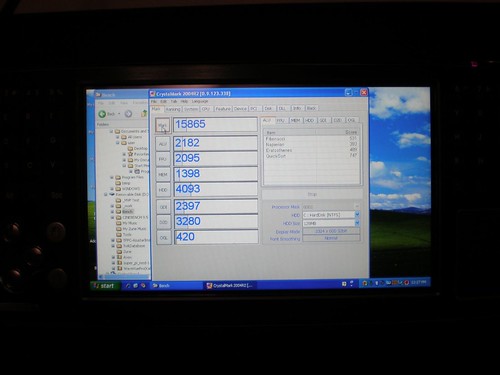
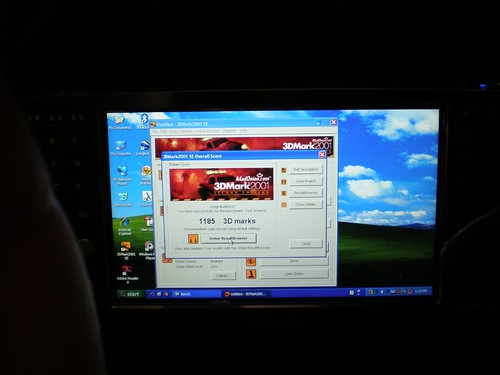
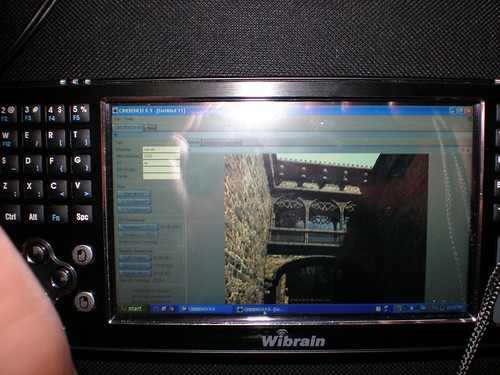
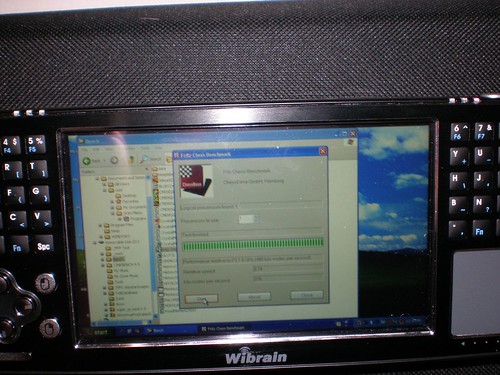
I ran a few tests and took a few pictures of the results and I was surprised to see that these results were a little bit higher than what I have seen in other devices using the same processor.

P1210004 P1210007
P1210006 P1210005

I think that probably this higher results are due to the fact that beside a trial version of McAfee Antivirus, Wibrain has not installed any other crapware on this UMPC. Something that we all appreciate.

This device from the point of view of performance can be put between the Everun and the OQO 02. Probably around the same performance or a little bit higher than the Fujitsu U1010 would have had if it was using Windows XP instead of Vista. It runs warm and Wibrain is providing on it a little tool where you can set the processor fan speed. Keep in mind that if you set the fan to cool the processor the most it can then it becomes noisy.

I did not run any special test to find the battery life on this device but from my own experience on it, browsing the web via WiFi, I would say that it was close to 3 hours. Playing a video expect something close to 2:30 hours.

The screen on this device is very sensitive, very good when you are using programs like a GPS Navigator but not so good when you are handwriting on it though with this screen size you can avoid easily to touch the screen accidentally while writing. The default resolution is 1024x600, a resolution that most of the users ask for but that I really find for my old eyes to difficult to work with in this display size.
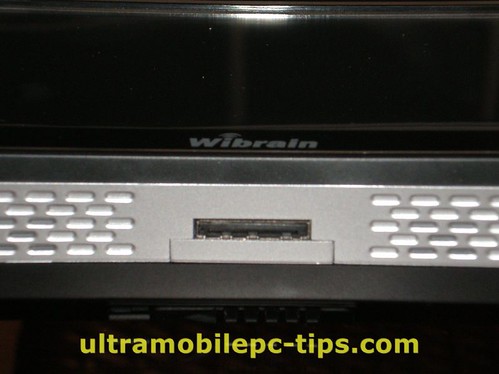
P1200011The Wibrain B1 comes with a VGA Cable that connects to the bottom port on the unit.

The sound on this device is not too good probably because of the speaker size.

Conclusion

Would I recommend this device? Yes, I would recommend the devices to those that do not want to pay the price for a OQO 02 but want something with that size and about the same performance.

You can find more pictures of the Wibrain B1 here.

Thursday, January 24, 2008

jkOnTheRun reviews WiBrain B1-H UMPC

P1200004I have been a little busy lately without much time to finish my review of the Wibrain B1H UMPC. So, while you are waiting for me here is a review that I would recommend.

I think the WiBrain meets the intended use of a companion handheld computer. I'd recommend the device to anyone on a budget who can deal with the high resolution on the small screen and is looking for a portable device mainly for visual Internet usage. As mentioned, you can use the device for full desktop apps, but you'll see a hit in the battery life and you'll need an external keyboard for serious text entry. The touchscreen won't help you much here because the device isn't running the Tablet Edition of XP and based on the high res, I'm not sure it would be a positive experience in the end even if you were running it. Audio quality is lacking and the the web-cam not working with Skype takes away one of my primary functions, but if you don't use Skype or other apps that use a web-cam, this should be a non issue.
I completely agree with Kevin, a device with a touch screen and Windows Home edition uses 25% of the capabilities of that touch screen. Why Wibrain and other install Windows XP Home Edition instead of Tablet PC 2005 Edition? My guess is that they do that to have a more appealing price. But that's a mistake. A huge mistake. The OS for this machine is XP Tablet PC Edition without any doubt. Of course would be better if we could run Vista "properly" in all UMPCs but in the Wibrain, you better stay with XP.

Tuesday, January 22, 2008

The Wibrain B1 Photo Set by Ctitanic

I like to take pictures of every machine I get to check, a lot of pictures, I think that sometimes they are more useful to people thinking about buying these devices than 1000 of words. It happened to me that after posting them I receive emails with questions about things that people find in these pictures that I did not noticed having the device on front of me in my hands. So here is the Wibrain B1 Photo Set.

P1200031P1200030P1200029P1200028P1200026P1200025P1200023P1200022P1200020P1200018P1200017P1200016P1200014P1200013P1200011P1200010P1200008P1200004P1200003P1200002P1200001P1200033

Monday, January 21, 2008

Wibrain B1 finally in my Hands

This weekend I had the opportunity to play with a Wibrain B1. And of course I shot a short video for my video section at todoUMPC showing it and talking about it.


Video: Wibrain B1

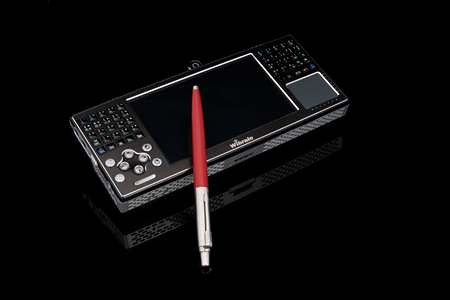
The Wibrain design has a retro style that makes me think about those old James Bond movies from the 80s played by Sean Connery. So I went and prepare this photo composition with a James Bond style.

P1200008

Friday, January 18, 2008

My Kindle is coming home

Yeah, finally after a month and 9 days I'm getting my Kindle! I should received next Tuesday and that's good because that leave me free this weekend to check another baby that I just received: the Wibrain B1!

Tuesday, December 18, 2007

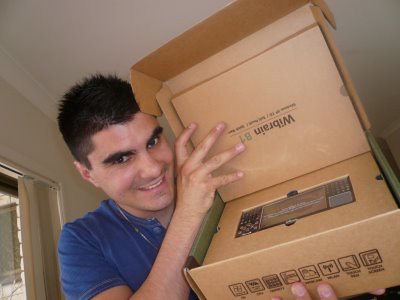
Wibrain unboxing!

My friend Steve from UMPCPortal.com just got the Wibrain B1 and of course, he posted a video of the unboxing process. A very interesting moment in that video is the comparison between the "almost good for nothing" keyboard of the Samsung Q1U and the keyboard integrated in the Wibrain B1.

Hugo Ortega is back!

P1060123Yeap, our Australian friend is back on business, this time he just got the Wibrain B1 UMPC so we should keep our eyes opened because he is preparing one of his crazy video reviews to talk about this new UMPC. That's for sure!

Friday, November 30, 2007

Wibrain B1 shooting monsters!

From Dynamism.com comes this video that demonstrate how easy is to play Quake 2 in a Wibrain B1 UMPC. Unfortunately, UMPCs are not yet powerful enough to play games like Halo 3 but in a not far future we are going to see that kind of performance and then we are going to say bye bye to our PSPs. Wink

Tuesday, November 27, 2007

Wibrain B1 available at Dynamism

untitledCHICAGO, IL - Wibrain announced today that it has chosen Dynamism as the launch partner of their new B1 handheld PC. Dynamism.com is the leading web-based reseller of exclusive ultra-mobile consumer electronics.

According to Dynamism CEO Douglas Krone, “Partnering with Wibrain for the U.S. launch of the B1 is a great addition to our already stellar line of products.”

Ultraportable computers are shrinking, innovation is brewing, and prices are dropping. The latest evidence: the unconventional but intuitive WiBrain, with an impressive array of features at an equally impressive price point. The WiBrain is one of the first devices to utilize an impressive 1024 x 600 resolution 4.8-inch WSVGA touchscreen. Phenomenally high pixel density makes it sharp, and touch sensitivity makes it convenient.
Weighing only 1.12 pounds (510g), this full powered Windows XP machine still yields five-hours official battery run time (about three-hours real world use) running on an amply powerful VIA C7M 1.2GHz CPU with 60gb HDD. Integrated wifi and Bluetooth make for easy connectivity, and the pop-up camera/mic make for easy “Skype-ability”.
In addition to the touchscreen, navigation options include Arrow/PageUp/PageDown keys on the left of the screen, and a touchpad on the right. The split keyboard is an easy adjustment that is aided by keys which have genuinely good tactile feedback, despite the fact that product photography doesn't make it obvious.
This is a great mobile platform for on-the-go media, web surfing, office applications wrapped up into a remarkably small package. (Or just walk around your house broadcasting live video to your friends.) When purchased from Dynamism, the WiBrain includes unlimited toll-free support and one year rescue warranty.

About Dynamism

Founded in 1997, Dynamism is the leading online reseller of next-generation ultramobile PCs and related consumer electronics. The retailer couples next-generation products — ultralight performance notebooks, subnotebooks, slimtops, PDAs, phones and other gadgets — with premium customer service, including lifetime, toll-free tech support and free Rescue Service Warranty. For more information please visit www.dynamism.com or call 1.800.711.6277.

Wednesday, November 14, 2007

Playing games in a Wibrain B1

I received today an email from Wibrain with a video that shows how easy is to play games in a Wibrain B1. I can't identify what is the game that they are playing on the B1 but the performance is not bad at all.

[Discuss This Topic]

Tuesday, November 13, 2007

Wibrain B1 new pictures

Once again JKK has found more information about the Wibrain B1. This time a lot of very good pictures.